Release date (Global): July 1. 2026
Release date (China): June 30 . 2026
Overview
We are excited to announce the release of Smartlink version 3.55, available as of release dates mentioned above. This update brings new features, bug fixes, performance improvements, etc.. Smartlink team has worked hard to ensure this release enhances your experience with our product, making it more efficient and effective to use.
New Features
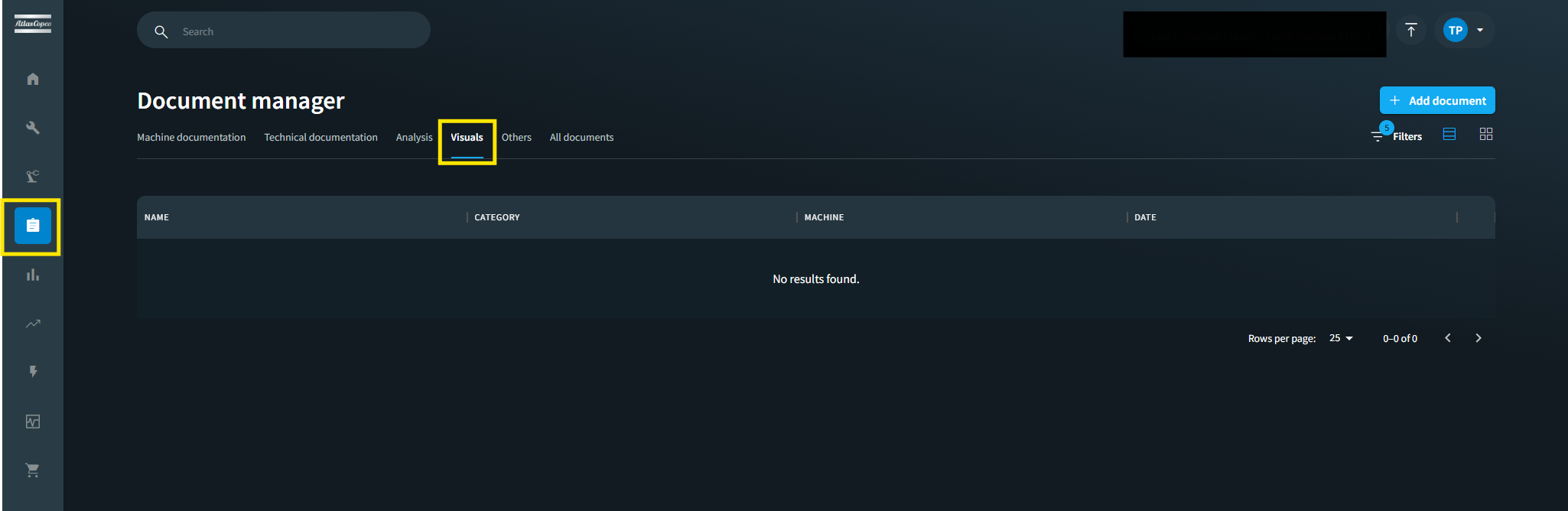
- A new "Visuals" category has been added to the document management system. Users can now organize and retrieve visual documentation — such as factory environment images and diagrams — under a dedicated tab. The new category is available across all document workflows, including upload, search, and filtering, with existing permissions applied automatically.
Improvements
Distributor users can now access the admin manual directly from the portal, in addition to the existing user manual. Previously, the admin manual was restricted to internal users only. This update ensures distributors can independently reference administrative documentation for system configuration and customer support.
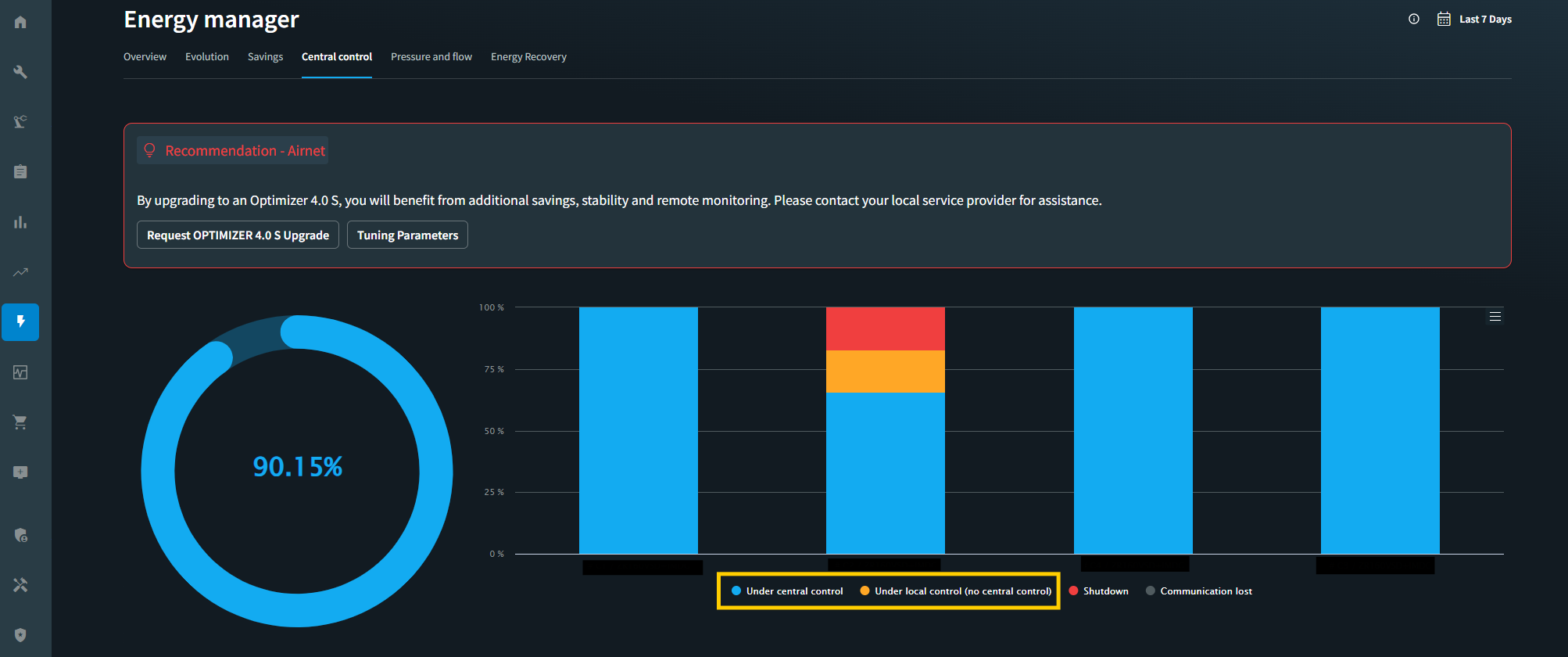
Updated the Energy Manager to display correct color indicators when a machine operates in isolated mode on the energy/central controller page. "Local control" now shows a warning color, while "Central control" uses the primary color. Icons and the legend have been updated accordingly to ensure accurate and consistent energy status representation.
Bugfixes
Resolved an issue where the Smartlink login form was not visible on the login page, leaving users unable to sign in. Affected users would only see the background video without the login fields. This issue occurred due to certain browser extensions (such as ad blockers or dark mode tools) interfering with page rendering. The application has been hardened to ensure the login page loads reliably regardless of installed browser extensions.
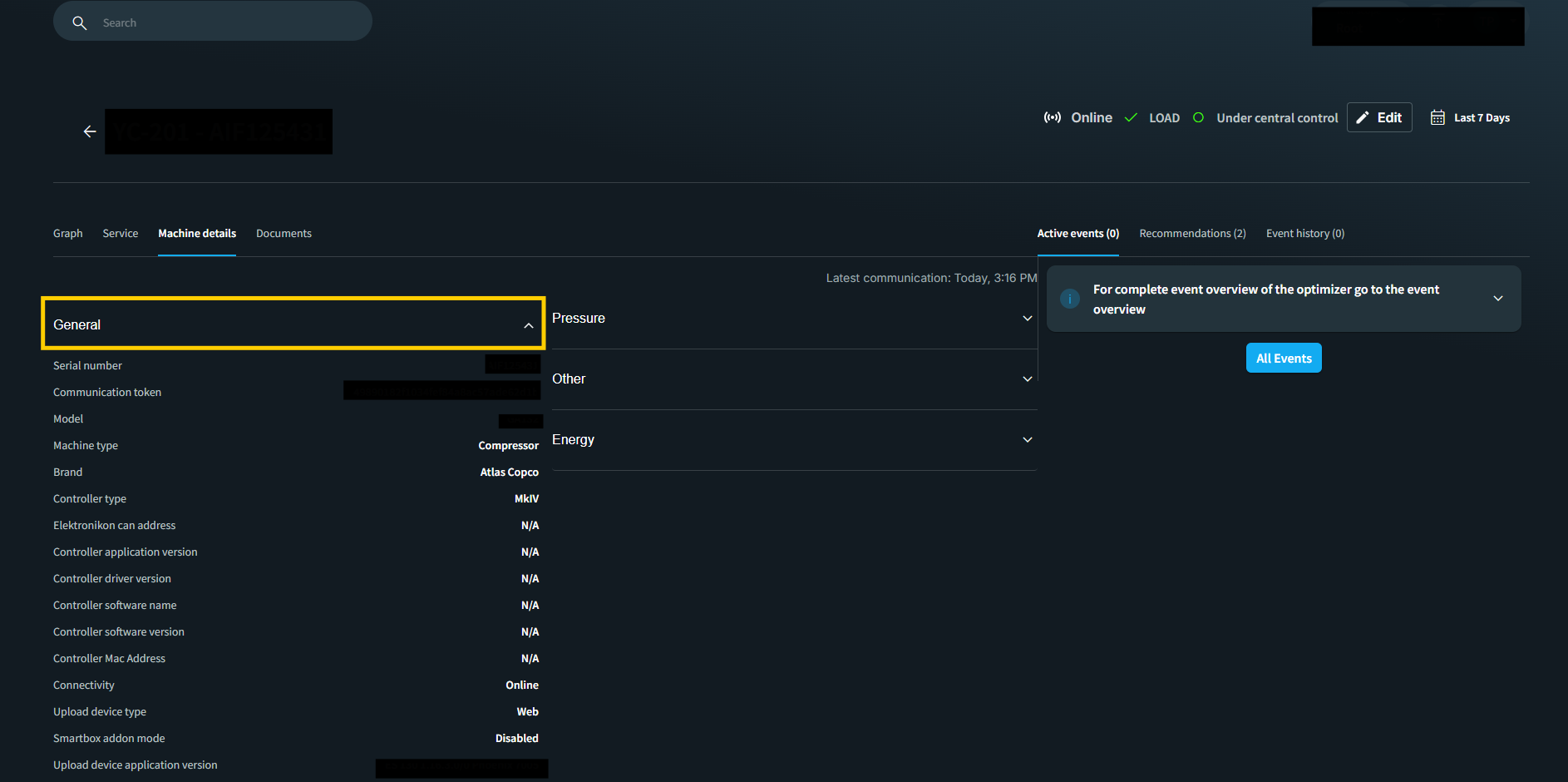
The "General" section on the Machine Details page now automatically expands when navigating to the Single Machine Overview, ensuring key machine information is immediately visible without requiring a manual click. Earlier users had to manually click to expand it, instead of seeing general machine information displayed immediately upon page load.
Fixed an issue where long asset point names in the graph dropdown were displayed too closely together, making them difficult to read. The dropdown now provides adequate spacing and width to properly display entries, including longer measurement point names and translations.
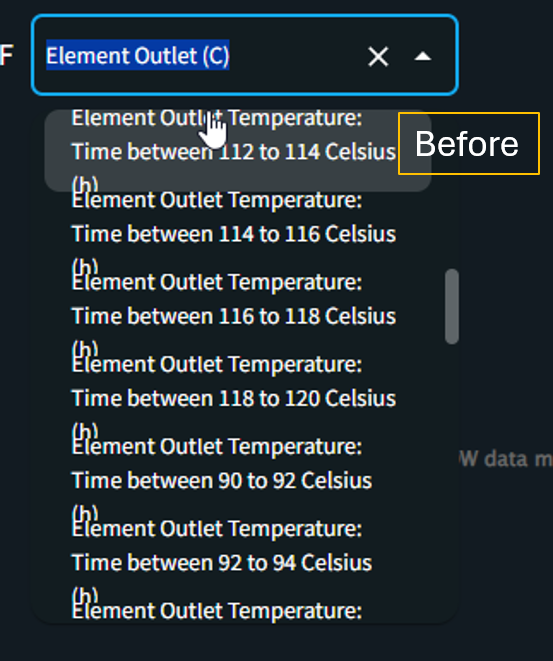
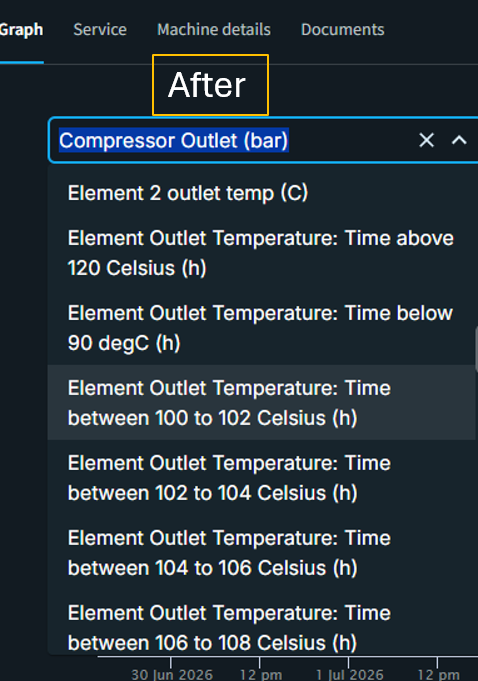
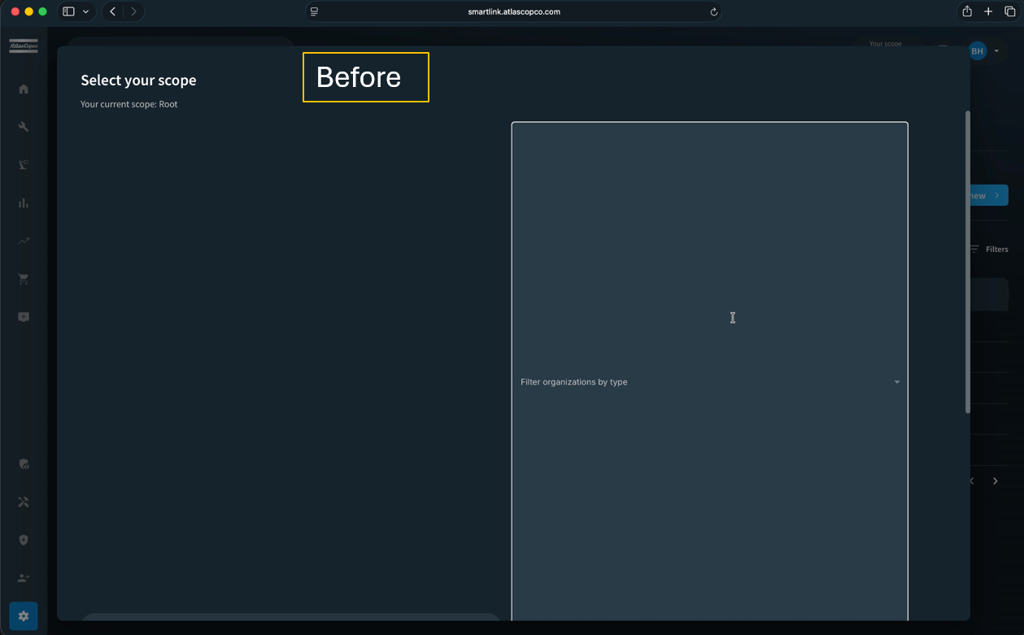
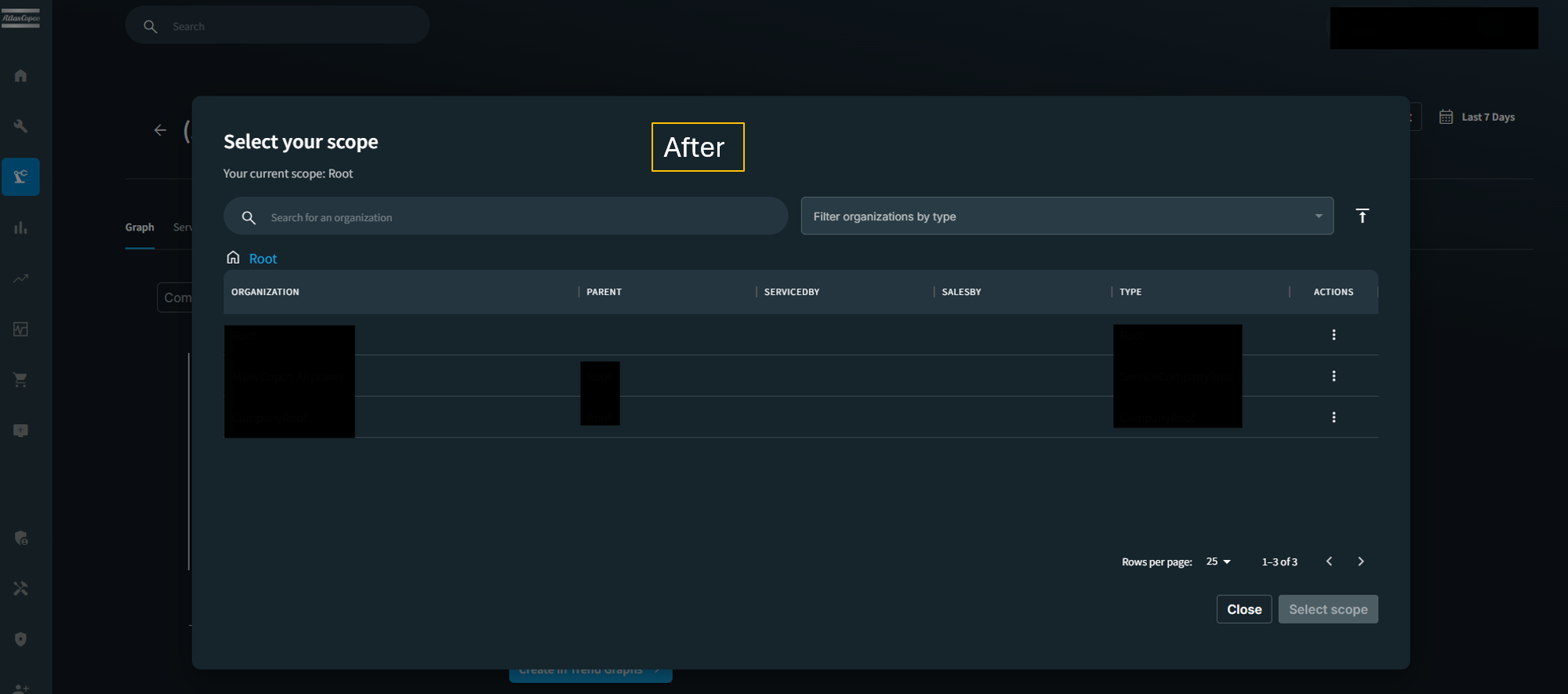
Resolved a visual issue where dropdown menus (such as the scope selection popover) displayed excessive vertical padding when using Safari on macOS, causing an inconsistent layout. Dropdowns now render with correct spacing across all supported browsers.