
Release date (Global): June 3. 2026
Release date (China): June 2 . 2026
Overview
We are excited to announce the release of Smartlink version 3.53, available as of release dates mentioned above. This update brings new features, bug fixes, performance improvements, etc.. Smartlink team has worked hard to ensure this release enhances your experience with our product, making it more efficient and effective to use.
New Features
NA
Improvements
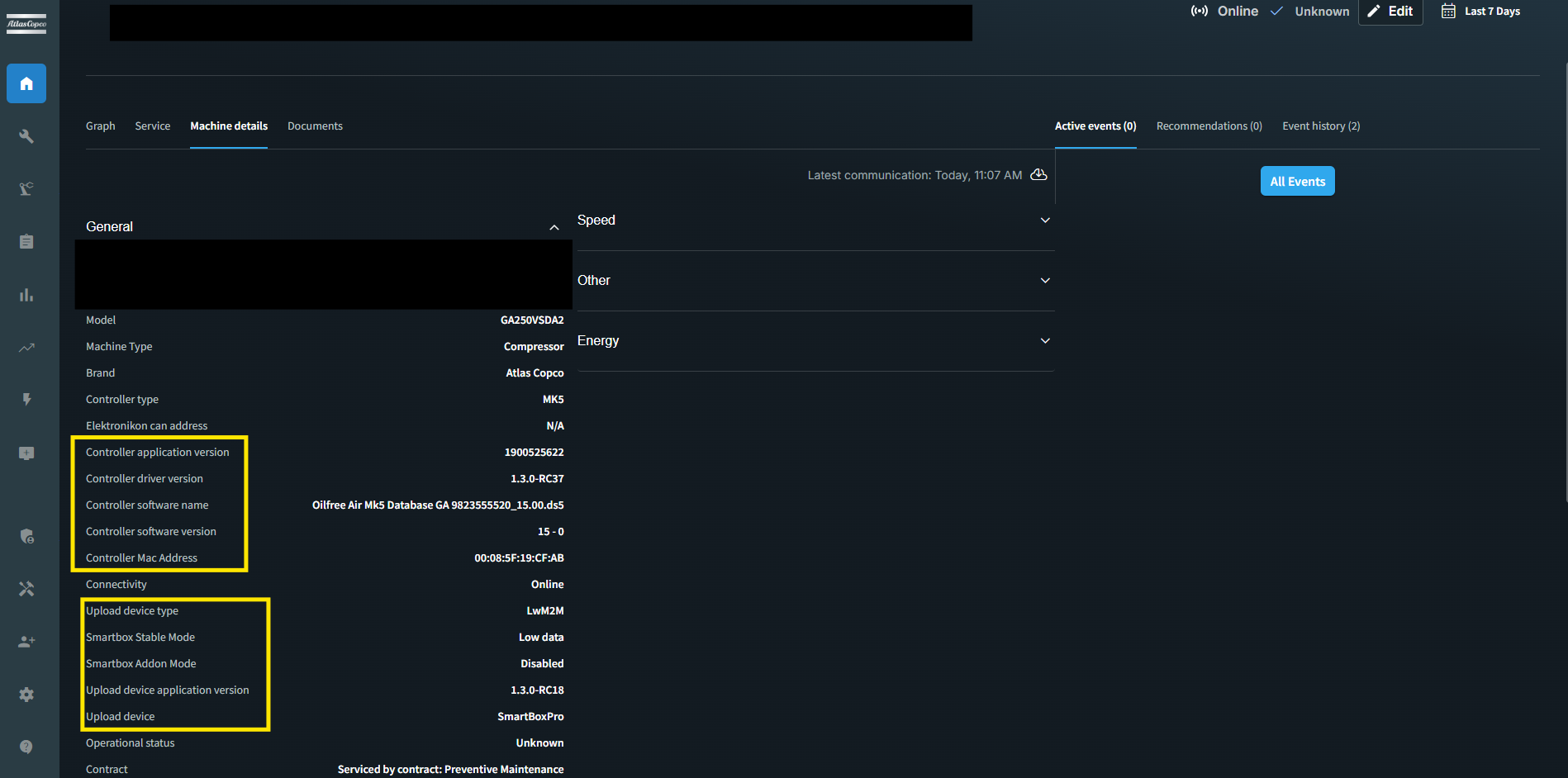
The General tab in the Single Machine Overview now features clearer field labels, with controller and upload device fields explicitly prefixed for easy identification (e.g., "Controller application version," "Upload device application version"). A new "Controller software version" field has been added, displaying the actual version or "N/A" when unavailable. Related fields are now logically grouped together, and all controller and upload device fields are automatically hidden for unfitted assets to keep the view clean and clutter-free.
Bugfixes
Improved the Maintenance Manager to ensure that when users switch between different scopes (such as site or customer center), all related tabs — including Contracts, License, and Running Hours — now update seamlessly to reflect the selected scope.
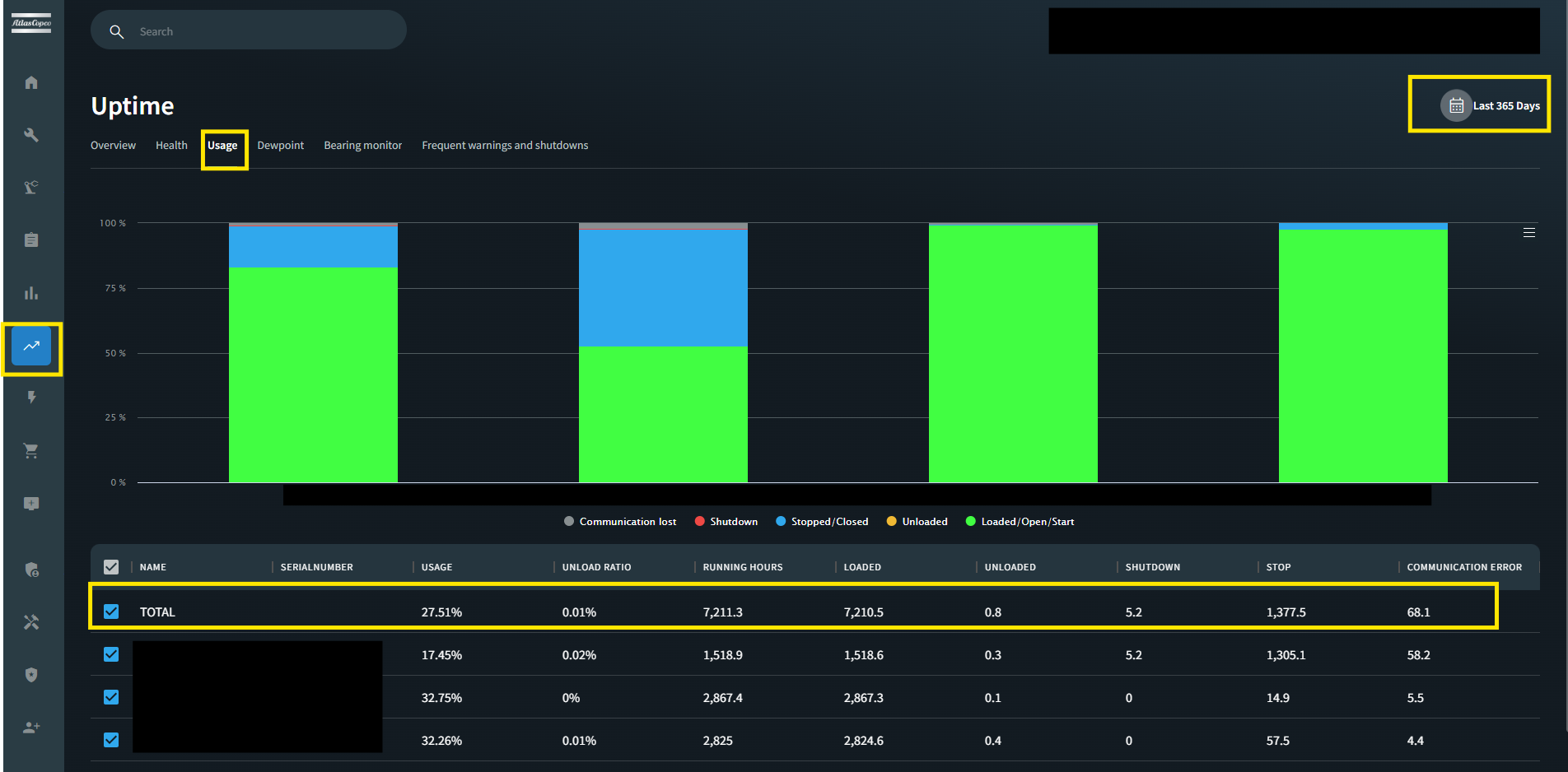
Last 365 days reporting period now displays accurate and consistent running hours across all time ranges. For monthly-level data pages (Energy Overview, Energy Evolution, Energy Savings, SmartAirnet Flow Data), the reporting period label has been updated to "Last 12 months" for clarity.
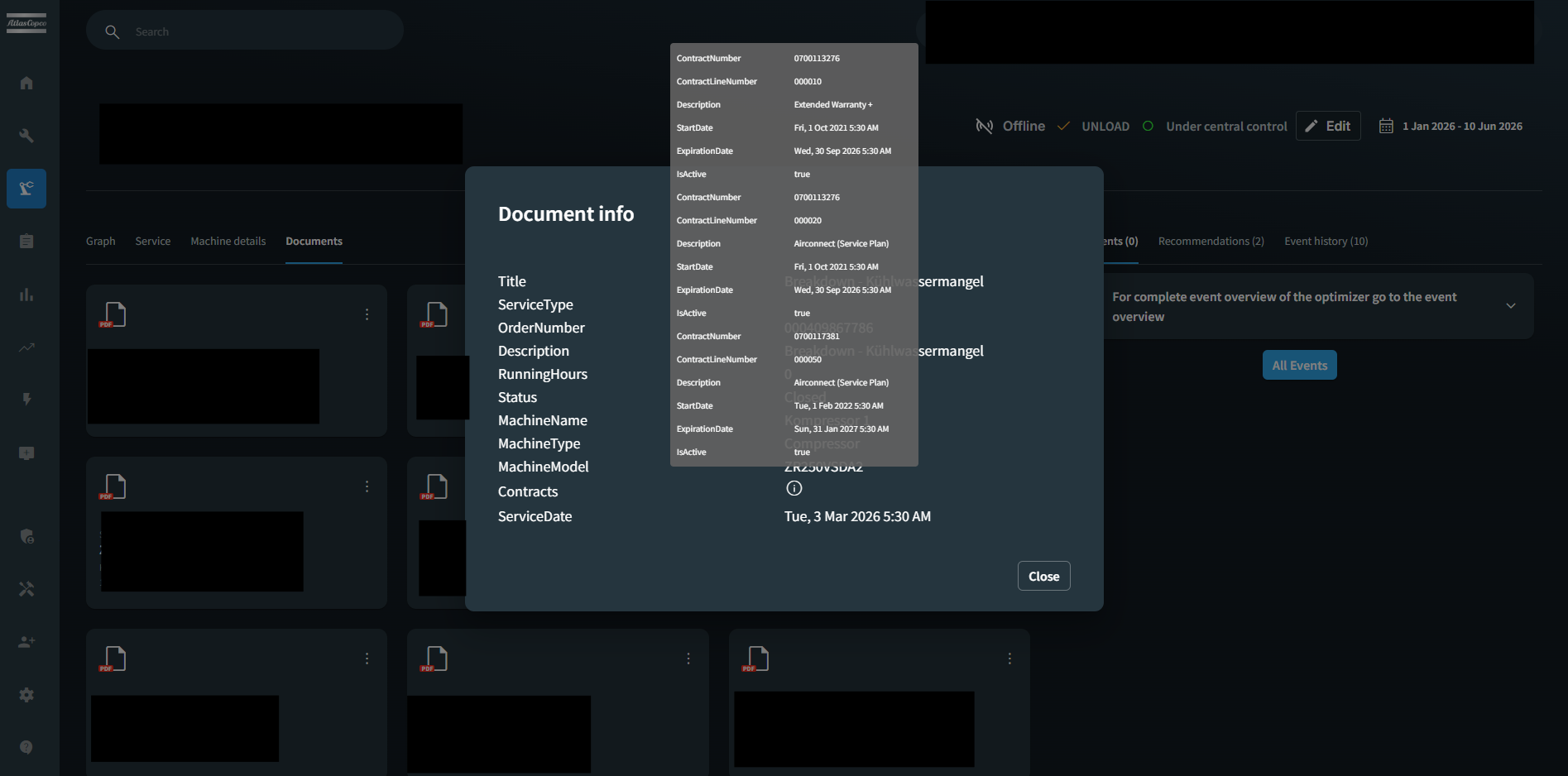
The document metadata view for visit reports in Document Manager now correctly displays contract-related fields with accurate labels and formatting. This ensures users see consistent and meaningful contract information when viewing document details.
Improved the invitation experience in Customer Center, ensuring CC Admins can now successfully send invitation emails to all internal roles. This update enables a seamless and consistent user onboarding workflow across the platform.
Fixed an issue where the FAM code field in the Customer Center was not saving the complete value entered by users. The system now correctly retains the full FAM code upon saving, ensuring accurate site management data.